DailyWall
Set a timer for five minutes and write down everything on your mind as a list, without filtering. Then spend five minutes sorting each item into do today, schedule, someday, or let go. Pick no more than three things for today, put dated items in your calendar or planner, and park the rest somewhere you trust.
A brain dump journal is the simplest tool for the days when your head feels like a browser with forty tabs open. You write down everything that’s on your mind (tasks, worries, ideas, half-remembered errands) without sorting or judging, until there’s nothing left. Then you sort it. The whole thing takes about ten minutes and usually leaves you with a short, clear list and a quieter mind. Below you’ll find the step-by-step method, how to sort what you’ve written, prompts for when you get stuck, templates for mornings, evenings, work and worry, and what to do with the list afterwards so the relief lasts longer than an hour.
What is a brain dump journal?
A brain dump is exactly what it sounds like: moving everything out of your head and onto paper (or a screen). A brain dump journal is simply a notebook, or a page in your bullet journal, where you do this regularly, for example every Sunday evening or whenever you feel overwhelmed.
It’s different from a to-do list, because you don’t start with tasks; you start with whatever is there. It’s also different from a diary, because the goal isn’t to describe your day but to empty your head and then decide what to do. And it’s different from free writing or morning pages, because you end with a sorted list, not three pages of prose.
The idea is well known in productivity circles. David Allen’s Getting Things Done method, for example, starts with a “mind sweep”: capturing every open loop before deciding what to do with each one. A brain dump journal is a lighter, everyday version of that.
Why a brain dump helps you feel calmer
Unfinished tasks have a way of nagging at us. You’ve probably noticed it: the email you haven’t answered pops into your head in the shower, the dentist appointment you haven’t booked shows up at 2 a.m. Psychologists have studied this for a long time, and some research suggests that making a concrete plan for an unfinished task can reduce those intrusive thoughts, even before the task is done.
There’s also a sleep angle. A small study by researchers at Baylor University compared people who wrote a to-do list for the coming days before bed with people who wrote about what they’d already done; the to-do group tended to fall asleep faster. One study isn’t proof for everyone, but it fits what many people notice: writing tomorrow down makes it easier to stop thinking about it tonight.
A brain dump isn’t therapy, and if your worries feel heavy or don’t go away, it’s worth talking to someone you trust or a professional. But for everyday mental clutter, ten minutes with a pen is a cheap and surprisingly effective reset.
How to do a brain dump in 10 minutes
You need a pen and an empty page (or a notes app), a timer and ten minutes without interruptions. The method has two halves: five minutes of dumping, five minutes of sorting.
Tick the steps as you go
Brain dump prompts for when you get stuck
After the first wave, many people go blank while there’s still plenty left in their heads. These brain dump prompts walk you through the corners you might have missed.
Tick the steps as you go
How to sort your brain dump: the four groups
Sorting is what turns a messy page into relief. Go through the list once, top to bottom, and give each item one symbol. Try not to agonise; a quick decision is better than a perfect one.
Tick the steps as you go
Brain dump templates: morning, evening, work and worry
The basic method works anywhere, but a few small changes make it fit different situations. Use these as page headers in your brain dump journal.
Tick the steps as you go
Brain dump in your bullet journal: page layout ideas
If you keep a bullet journal, a brain dump page fits right in. Keep it simple, because a decorated layout slows down the dumping part.
One-page list: the date at the top, a long list below, symbols in the margin for sorting. The classic and still the best.
Four-box page: draw four boxes labelled Today, Schedule, Someday and Let go, and write each item straight into the right box. Faster sorting, slightly slower dumping.
Mind map: your name in the middle, branches for work, home, people and me. Good for visual thinkers.
Monthly brain dump: one page at the start of each month, before you set up your monthly log. Many of the ideas in our bullet journal ideas list start from a page like this.
After the brain dump: turn the list into a calm day
A brain dump feels great for an hour. Whether the calm lasts depends on what you do with the list next. Three habits make the difference.
Keep today small. Three items is a day; ten items is a wish list. When the three are done, you can always pick another. Our productivity tips explain why short lists get finished and long ones don’t.
Trust your parking places. The “schedule” and “someday” items only stop nagging you if you know where they are and that you’ll see them again. Pick one place for each and check it weekly.
Repeat it. Once a week as a habit, plus whenever your head feels full. The more often you do it, the shorter each dump gets.
Do a brain dump on your iPhone with DailyWall
Paper is perfect for the dump itself. For the sorted result, a phone helps: it’s always with you, so today’s list and the someday list stay within reach.
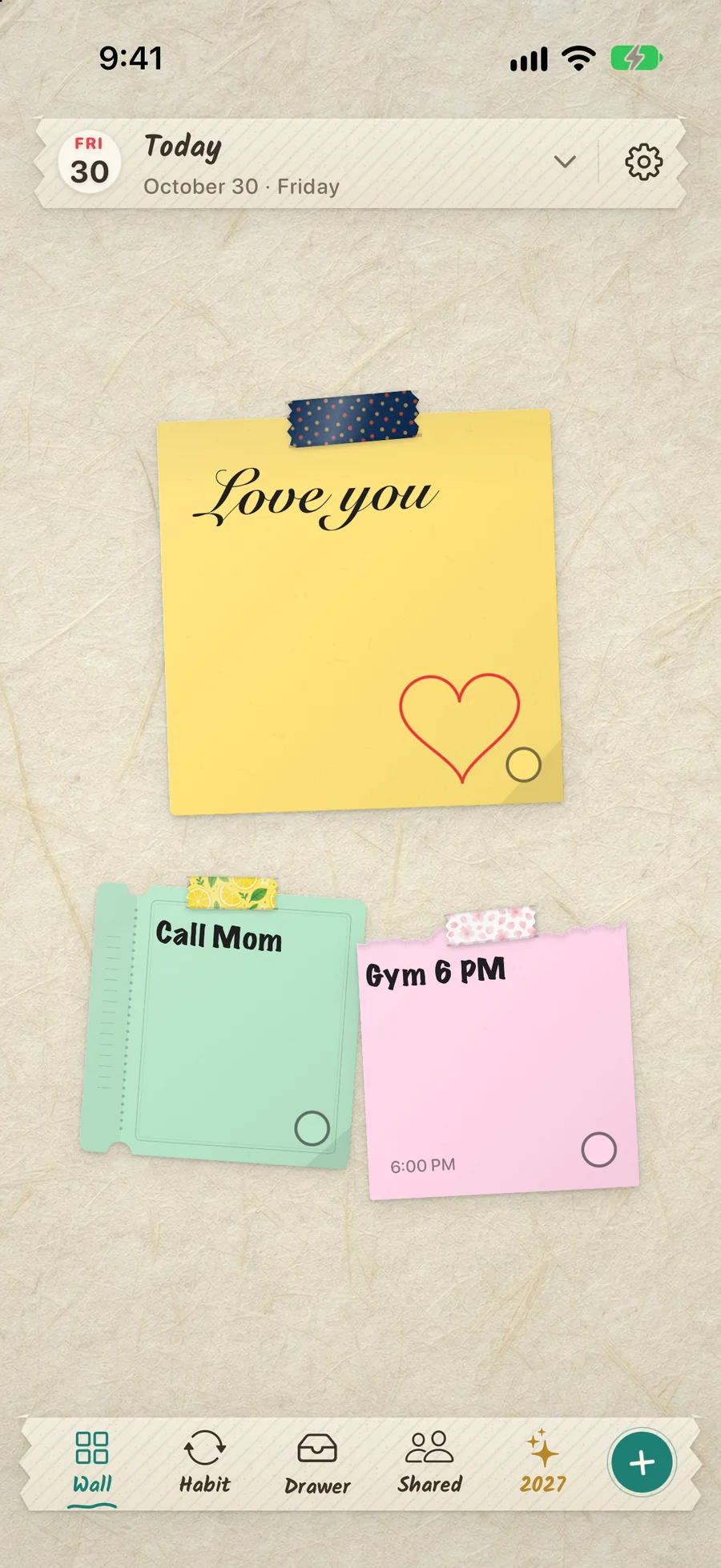
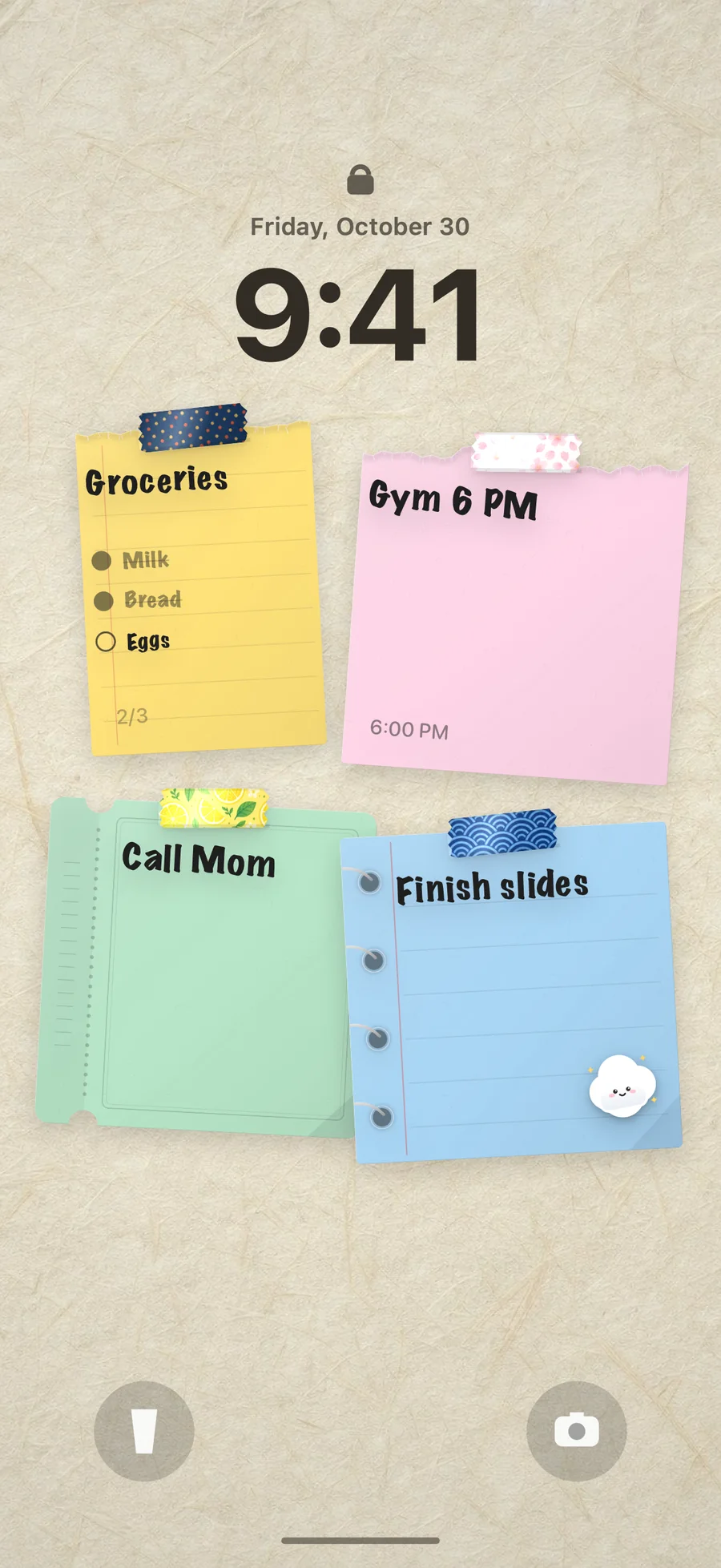
DailyWall is an iPhone and iPad app where every day has its own wall of paper notes. Papers without a day go into the Drawer, which works well as your someday list and parking place, and they don’t use a day’s allowance until you hang them on a wall. Your three items for today go on today’s wall, and that wall can become your Lock Screen wallpaper through a Shortcuts automation you set up once, so the short list is the first thing you see each time you pick up your phone. Items with a date can go straight onto that day’s wall, with a time and reminder if needed. If you’d like to make the weekly dump a habit, our journaling habit page shows how to set it up gently.
Tick the steps as you go
Questions people ask
What is a brain dump journal?
It’s a notebook or page where you regularly write down everything on your mind (tasks, worries, ideas) without filtering, and then sort it into what to do today, what to schedule, what to keep for someday and what to let go.
How do you do a brain dump?
Set a five-minute timer and list everything on your mind. Then spend five minutes sorting each item into do today, schedule, someday or let go, and pick no more than three things for today.
How often should I do a brain dump?
A weekly brain dump on Sunday works well for most people, plus a short one whenever you feel overwhelmed or can’t switch off at night.
Is a brain dump the same as journaling?
Not quite. Journaling often explores thoughts and feelings in sentences. A brain dump is a fast list that ends with decisions. Many people use both.
Should I brain dump in the morning or at night?
Both work. A morning dump helps you pick today’s priorities. An evening dump helps you put tomorrow on paper so it’s easier to stop thinking about it before sleep.
What do I do with a brain dump list?
Do two-minute tasks right away, choose up to three items for today, put dated items in your calendar or planner, park ideas on a someday list and cross out what you can let go.