 DailyWall
For long lists you add to all week, a shared list in Apple Reminders is free and works well. For the few things everyone should see today, a DailyWall shared wall puts those notes, with checklists and the writer’s name, on the Home Screen widget and on the Lock Screen. Creating and joining a shared wall is free.
A shared to do list app solves a small, daily problem: two or more people need the same list, and the list only works if everyone sees it. Groceries, chores, the school run, what to pack for the weekend. On iPhone you already have good free tools for this, and there is a different kind of shared list that lives on the Home Screen and Lock Screen. Here is how to choose, how to set one up in DailyWall, and how to keep a shared list from turning into a mess.
What to look for in a shared to do list app
Visibility first. A shared list nobody opens is a list nobody follows. The best one is the one that shows up where people already look: the Home Screen, the Lock Screen, a watch.
Clear authorship. When three people write on the same list, “who added this?” matters. Names on items save a lot of messages.
Easy joining. Your partner, your kids or your roommate should be in within a minute, without forms or passwords.
Ticking things off. Checklists that everyone can tick are the core of a shared grocery list.
A light touch for small talk. A quick reaction (“got it”, “thanks”) without opening a chat keeps the list friendly instead of bossy.
What Apple gives you for free
Shared lists in Reminders: create a list, tap Share and invite people. Everyone can add, edit and tick items, and the list syncs through iCloud. Reminders also has due dates, alerts and a Grocery list type that sorts items into sections. For a long shopping list or a household to-do list that grows all week, it is a very good free choice, and the Reminders widget can show a few items on the Home Screen or Lock Screen.
Shared notes in Notes: share a note and everyone can edit it, including checklists inside it. The Notes widget can show it on the Home Screen. It is flexible, but it reads like a document: fine for a packing list, less good as a glanceable “what’s on today”.
Both need everyone to use an Apple Account with iCloud, and both look like utility apps. That is not a flaw, it is just a different job. If you want the list to feel personal and sit in plain sight, that is where a shared wall comes in.
What a shared wall adds
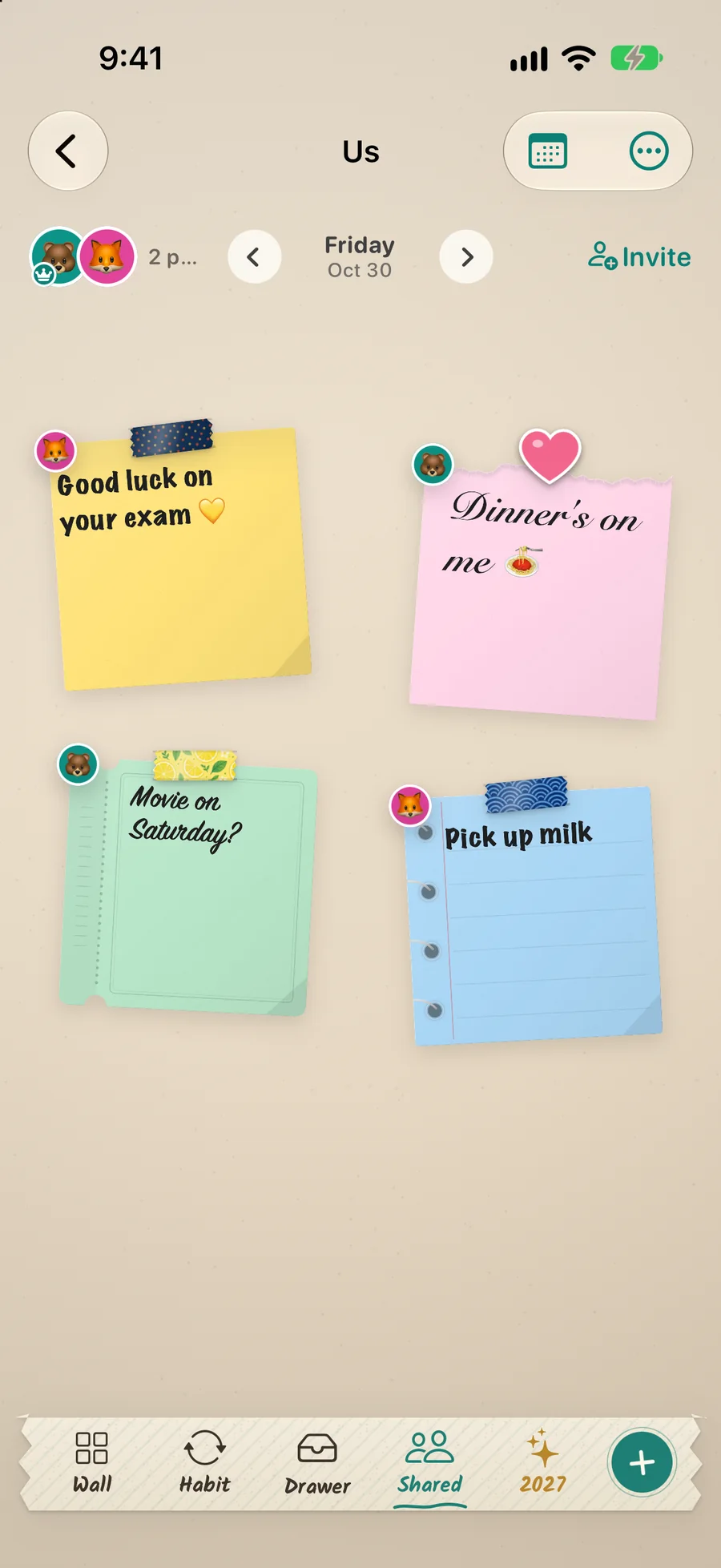
In DailyWall, a shared wall is a wall of paper notes that two or more people hang on. Each note can be a short message or a checklist, decorated with washi tape, stickers and handwriting-style fonts from more than 130 ready-made styles, and every note shows who wrote it.
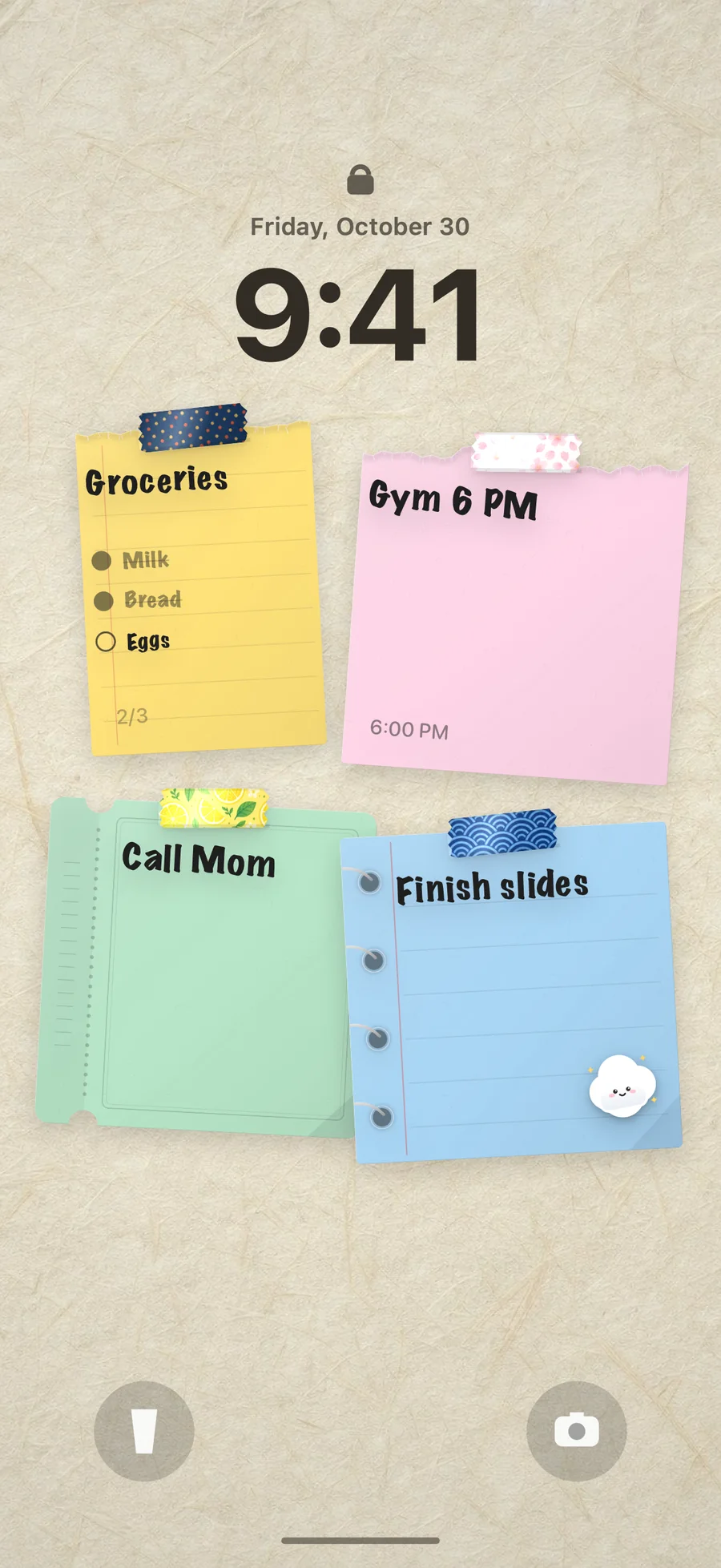
The shared wall has its own Home Screen widget in small, medium and large, so today’s notes are visible every time you unlock. You can also pick the shared wall for your Lock Screen, so its notes appear on your Lock Screen wallpaper next to your own.
React to a note by putting a sticker on it, and the person who wrote it gets a notification. It is the “done, thanks” moment without a chat thread.
Notes land on the correct calendar day for everyone, even across time zones, and you can see today’s notes and checklists on Apple Watch. DailyWall works on iPhone and iPad.
Set up a shared to do list in DailyWall
Tick the steps as you go
Ideas: who uses a shared list and how
Shared to do list for couples: one wall for the two of you with tonight’s dinner, the weekend plan and a short checklist of errands. If what you mostly want is sweet notes on each other’s screens, see the couples widget guide.
Family to do list: school pickup, who walks the dog, a note for the kids before an exam. Each note shows who wrote it, so “Mum” and “Dad” do not have to sign every line.
Roommates: bins on Tuesday, the electricity bill, who is buying dish soap. A sticker on the note says “handled”.
Trip planning: a trip wall with the packing checklist, the booking times and the meeting point. Everyone sees the same plan on the Lock Screen the morning you leave.
Shared grocery list: keep the long weekly list in Reminders if you like, and hang today’s short run on the wall: “after work: bread, tomatoes, candles”. For more ideas, read shared lists for couples and families.
Tips for keeping a shared list tidy
One note, one job. A checklist titled “Groceries” and a separate note for “Call the plumber” beat one long list of everything.
Today only. A shared wall works best for the few things that matter today. Long-term lists belong in Reminders or Notes.
Agree on a sticker language: a heart for thanks, a check for done, a star for “I’ll take it”.
Use styles as labels: one paper colour for shopping, another for chores, so people can read the wall at a glance.
Clean up at the end of the day. A wall with five fresh notes gets read; a wall with thirty old ones gets ignored.
Privacy
There is no account to create. Shared walls sync through Apple’s iCloud; only the people you invite can see them, and your personal wall is never shared.
Questions people ask
What is the best shared to do list app for iPhone?
It depends on the list. Apple Reminders is a strong free option for long lists with due dates. DailyWall is for the few things everyone should see today: notes and checklists on a shared wall, visible on the Home Screen widget and the Lock Screen.
Can I make a shared grocery list with DailyWall?
Yes. Hang a note with a checklist on a shared wall, and everyone on that wall sees it on their wall and in the shared wall widget.
Is it free?
Creating and joining a shared wall is free, and DailyWall is free to start with 5 notes a day and no account. Pro adds unlimited notes, iCloud sync and all styles.
How many people can share a list?
More than two. Couples, families, roommates or a group of friends can share one wall, and each note shows who wrote it.
Does DailyWall replace Apple Reminders?
Not for everyone. If you need due dates and alerts on a long list, keep Reminders. Many people use both: the long list in Reminders, today’s short list on the shared wall.
Does it work with Android?
No. DailyWall is for iPhone and iPad, with today’s notes also on Apple Watch.